 Screenpresso


March 14, 2023
2.1.9
Changes
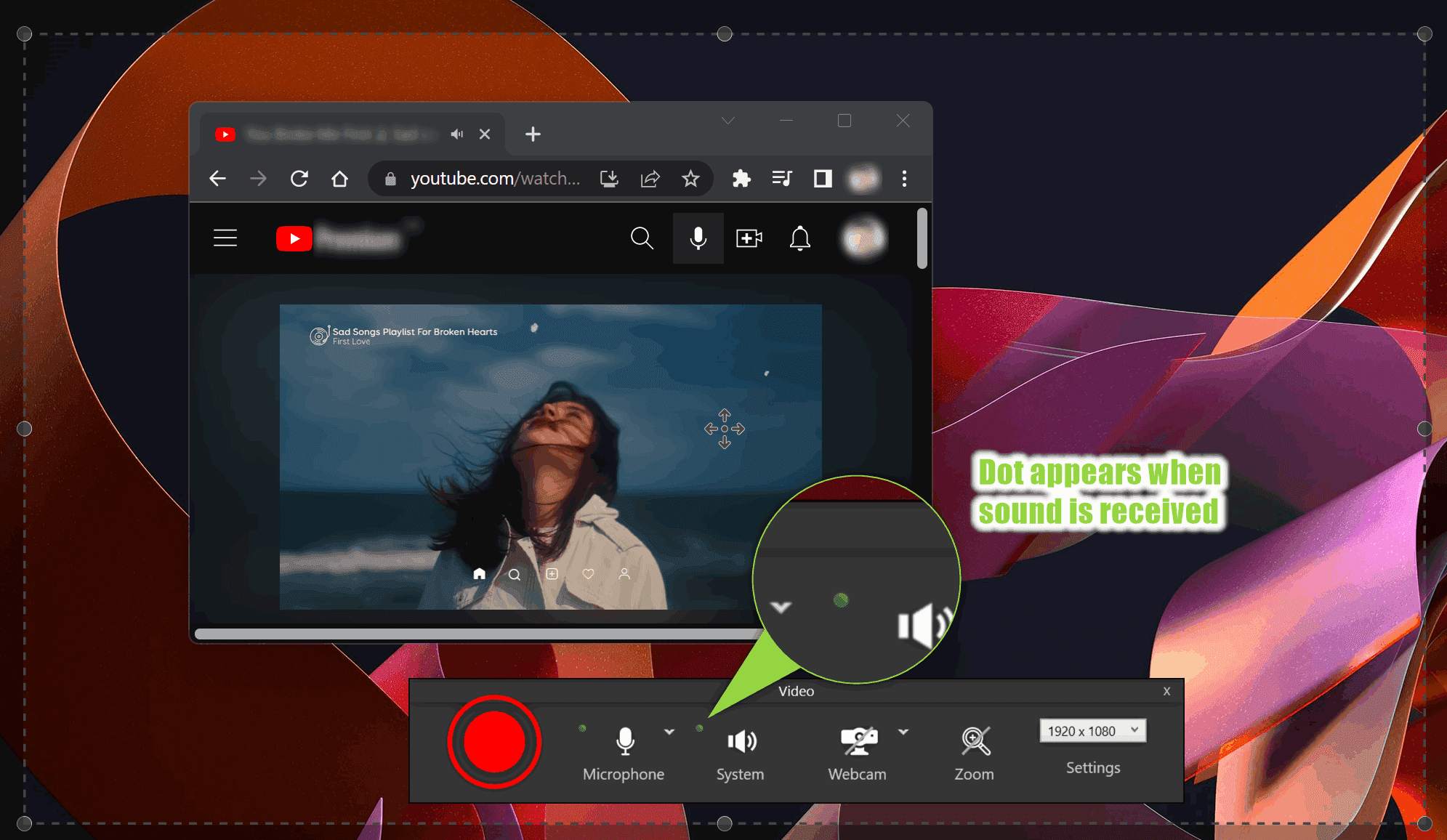
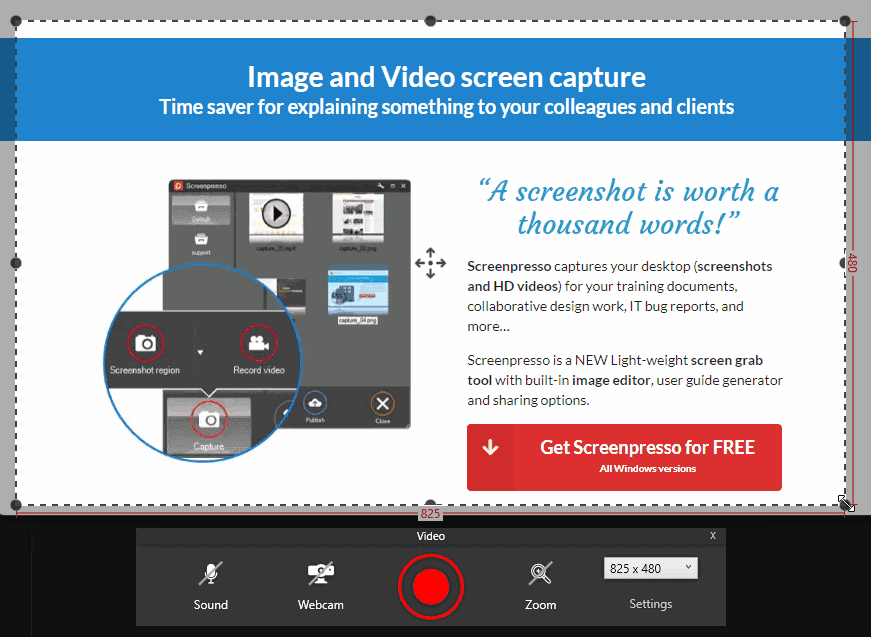
- New video toolbar look and feel

- Added VU meter to the video toolbar. You can now see the sound intensity and make sure the sound is properly recorded
You can also mute the sound live during the recording and check which microphone is used to avoid mistakes.
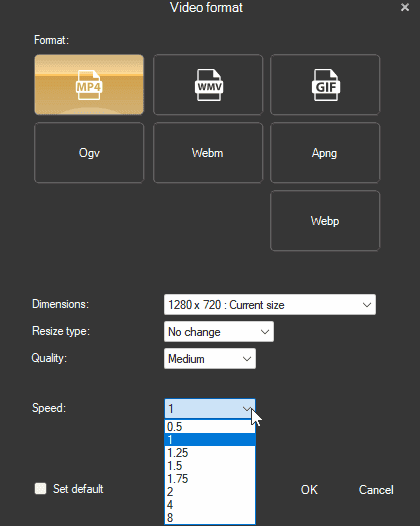
- Added new video speed presets to the playback list: 1.25 and 1.75
- Added support for JPEG XL image file format

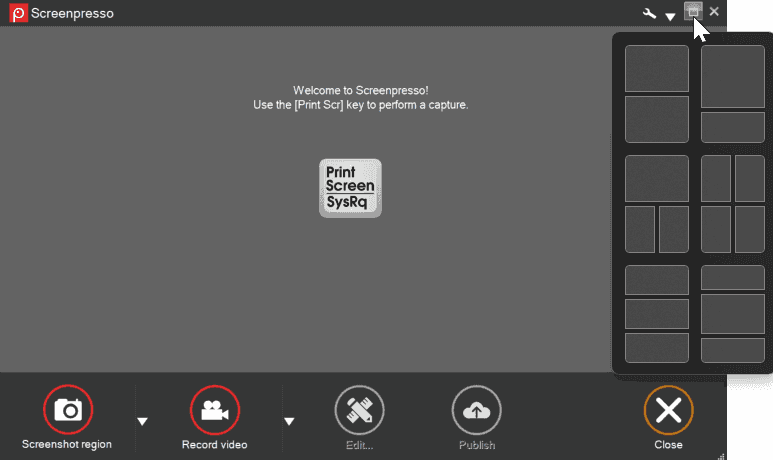
- The custom 'Maximize' button of all Screenpresso windows now acts as a standard Windows 11 'Maximize' button
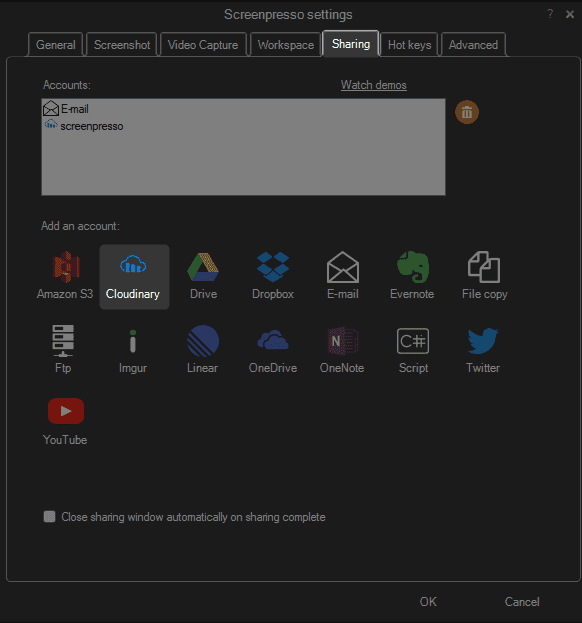
- Added built-in support of Cloudinary image and video hosting
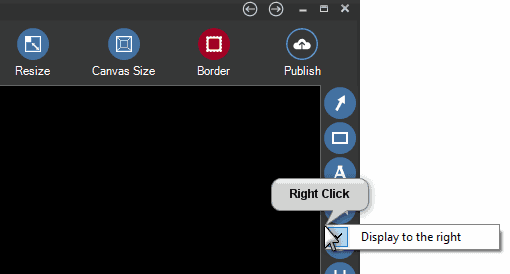
- Added the possibility to move the toolbar to the right of the editor window
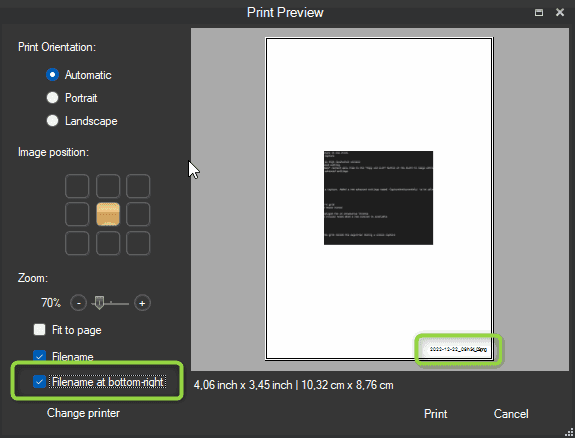
- Added 'Print filename at the bottom-right' option to the print dialog
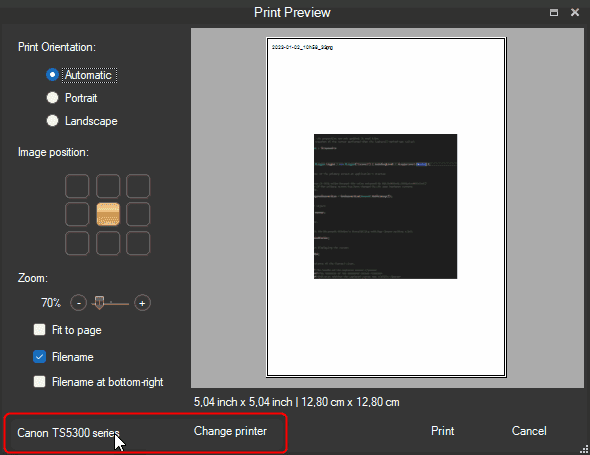
- Added the name of the selected printer to the print dialog
-
Improved the history display of published files
-
The print settings are now persisted, your settings will be applied again for your next printings
-
Added 'NoFirstTimeMessages' policy and command line argument
-
Renaming a file in the workspace now warns if a file with the same name already exists
-
Refreshed the help displayed at the first use of the capture auto-scroll feature
-
Hidden Screenpresso's subfolders are now created only when necessary
Bug fixes
-
Fixed an exceptional case when a recorded avi file could autodelete itself
-
Restored the possibility to scroll the image in the image editor horizontally using Alt+MouseWheel
-
Improved FTP sharing feature to avoid an error when the account has special security restrictions
-
Better handling of a locked folder (issue was happening when OneDrive synchronized the working folder)
-
Improved license update when using an activation.lic file
-
Improved Avast! antivirus detection
Downloads for 2.1.9.0
November 24, 2022
2.1.8
Changes
- New video capture look and feel
- Added a new feature that detects sensitive data (emails) in the screenshot to blur it automatically (PRO)
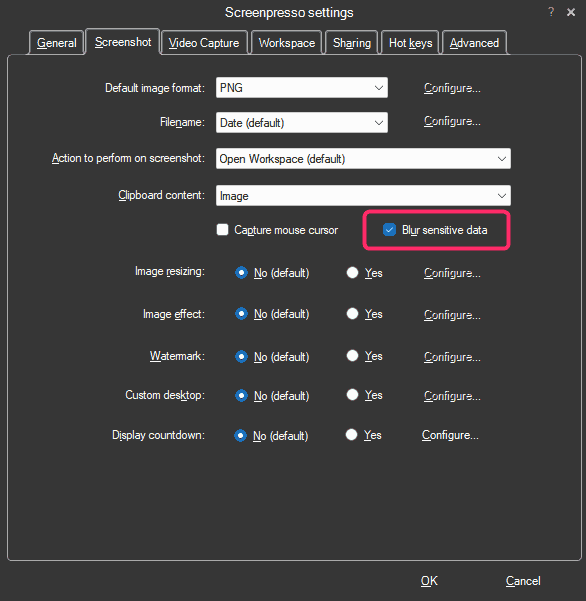
Sample result:

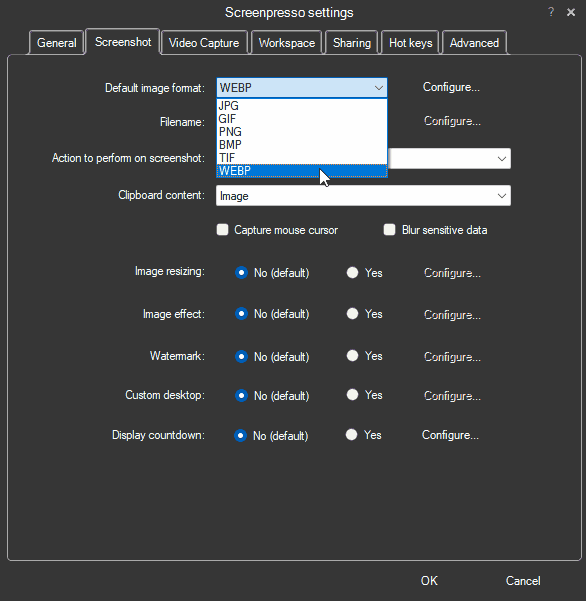
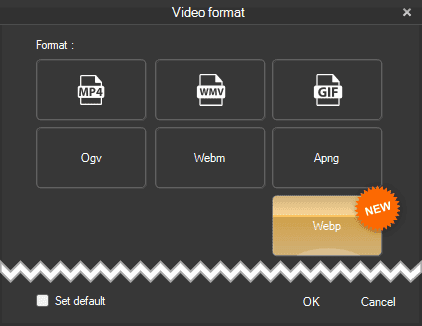
- Built-in support of Webp image file format
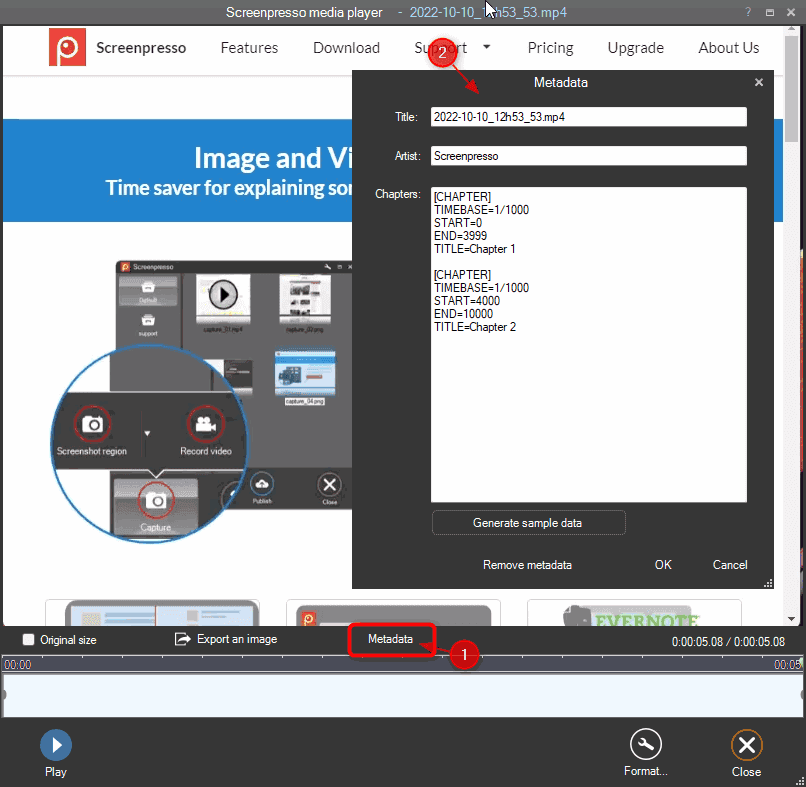
- It is now possible to edit the metadata of a video and add chapters (bookmarks) (PRO)
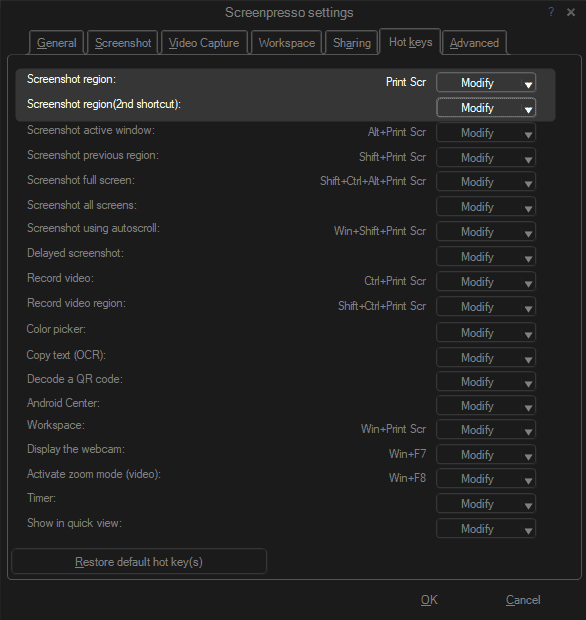
- It is now possible to set 2 different shortcuts for the PrintScreen key (PRO)
Whether your laptop is plugged into a docking station with a physical keyboard or on the go without a PrintScreen key, you can set up two hotkeys.
-
In the border effect window of the image editor, the new torn edge ratio setting is now disabled if no torn edge effect is selected
-
Reviewed the print window to be more compliant with Windows 11
Bug fixes
-
Fixed system sound recording crash with surround sound cards
-
Fixed UnspecifiedError calling waveInOpen message when the microphone's access is denied via the Microsoft Windows settings panel in the 'Privacy & security area
-
Fixed a crash when capturing a screen area having a size of 1x1 pixel
-
Fixed an issue in the image editor with font size not being well saved in templates for high dpi images
-
Fixed popup of drawing items in the image editor displayed out of the screen when having a lot of templates
-
Fixed an issue with the Windows OCR
October 3, 2022
2.1.7
Changes
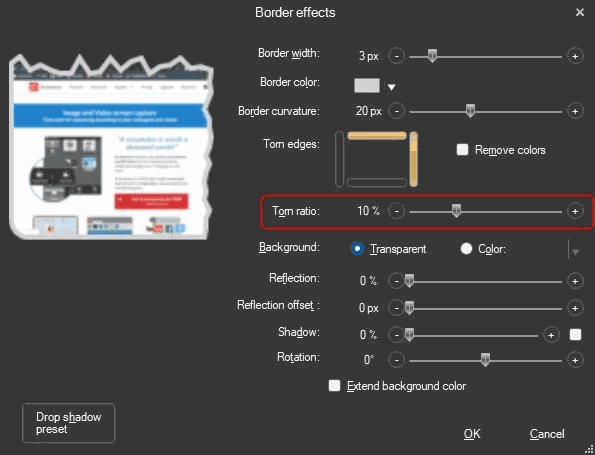
- In the "Border effect" window of the image editor, depth of the torn effect can now be configured
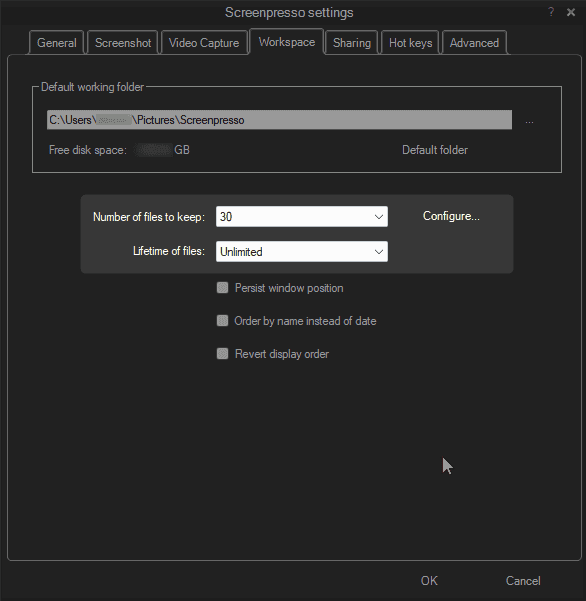
- Moved some settings from "Screenshot" tab to "Workspace" tab
- Migrated to ADB version 33.0.3
Bug fixes
- Fixed the color of captured cursor during video recording
When the cursor was highlighted, it was displayed yellowish.
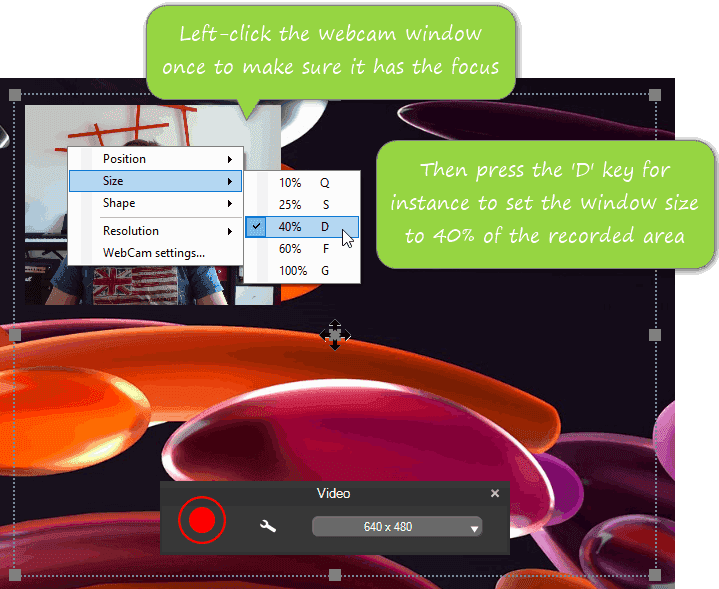
- The Webcam window now takes the focus when it appears
This allows the shortcuts to work.
-
Fixed a specific license issue when using and enterprise key and having a non empty internal license key
-
Fixed editor display over high dpi screen
-
For the new "Lifetime of files" feature released in the previous version, the last modification date is now used instead to the creation date
September 19, 2022
2.1.6
Changes
- Improved the capture of the mouse cursor
Screenpresso is the only tool on the market that captures the mouse cursor well in all situations! Even if you have zoomed your mouse cursor using the Windows' accessibility setting, if your mouse is over a high resolution or HDR screen (e.g. over a 4K screen), or if you have plugged a mix of different screens.
-
Updated the video toolbar's look and feel
-
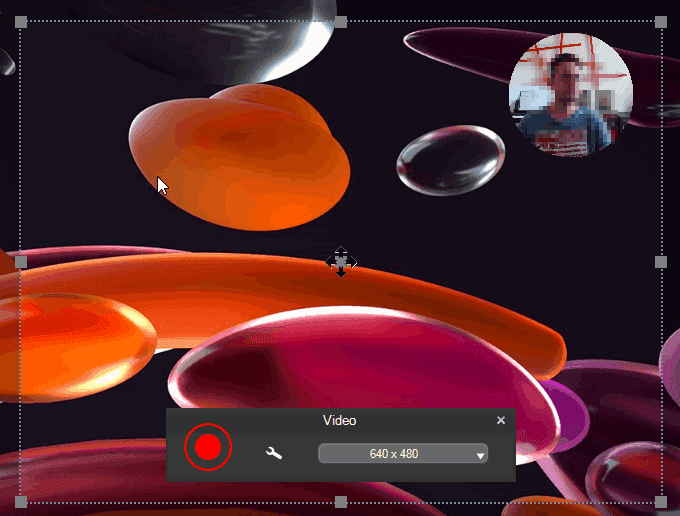
The webcam can now be displayed within an ellipse or a round shape
-
The webcam's video resolution can now be changed (by default, Screenpresso uses the best quality)
-
The location, size and shape of the webcam window can now be modified live via shortcuts
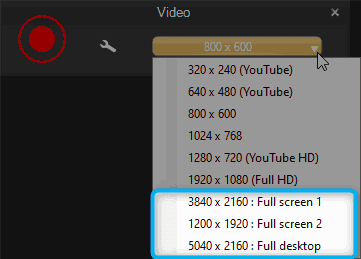
- Added presets to quickly perform a full screen video capture
- Improved support for high DPI images in the editor and in the workspace
When an image with a resolution is different than 96 DPI, Screenpresso automatically changes the zoom level of the editor. For the added items, it increases the font size and the thickness found in the templates.
On the workspace's context menu, when right-clicking on an image, the DPI information is displayed when the selected image has a resolution different than 96 DPI.
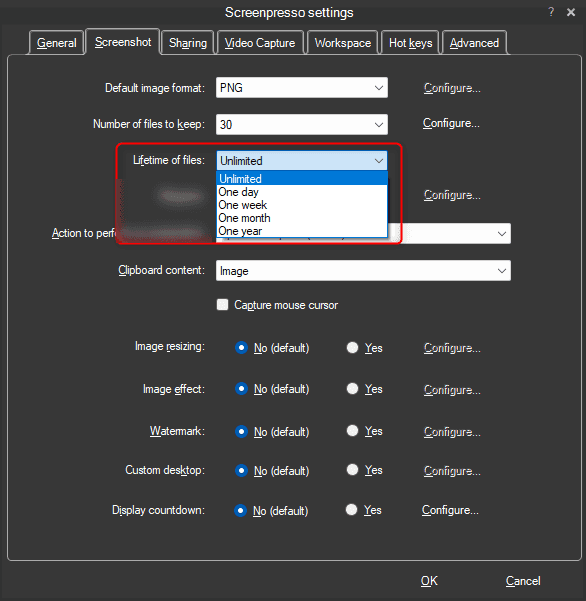
- Added a "Lifetime of files" setting
This requests Screenpresso to automatically delete files that are older than a defined period. The default value is 'Unlimited'.
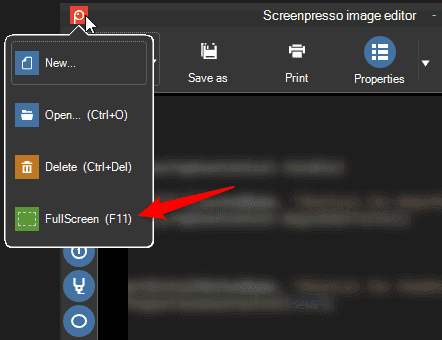
- Added F11 shortcut key to the built-in image editor to show or hide all toolbars.
It allows displaying the edited image as widely as possible.
- The OCR is now based on the Windows' built-in engine
You can still choose to use Tesseract OCR engine (the previously used tool) and compare the results to find the best one.
- Added build-in sharing support for Linear
You can watch this tutorial to discover how to effectively report an issue using the new features of Screenpresso: https://youtu.be/bbOOyFJtI6k
Bug fixes
- Capture: fixed wrong display with some High DPI screens
- Capture: fixed wrong magnifier's display when zoomed
- The workspace's startup size now resets if the screen's resolution has changed
- Removed the HTML encoded characters that could appear when using the Google Translate service (in the OCR window)
August 20, 2022
2.1.5
Changes
- Editor: custom color can now be set using an hexadecimal value
Bug fixes
-
Capture: fixed Escape key not always working to cancel a capture operation
-
Capture: fixed the color picker with high resolution screens
August 16, 2022
2.1.4
Changes
- Restored cross monitors screen capture feature.
It is a colossal improvement making our engine the best in the world!
- Improved the window detection for capture in one click.
Moving the mouse over a window's title bar during the capture always automatically selects the whole window. So it is excellent, for instance, to capture an entire Microsoft Word window.
- Improved the help message during the capture.
It indicates the available shortcuts.
- Zoomed cursor is now well captured
If the mouse cursor size is increased via the Microsoft Windows' Accessibility settings, Screenpresso now considers it.
-
Added a "Save and exit all opened windows" context menu item to the "Copy and exit" button of the built-in image editor
-
Added a new 'MediaPlayerAutoPlay" advanced setting
-
Updated the documentation about the available advanced settings
Bug fixes
- Fixed DelayCapture countdown display on high-resolution screens
July 5, 2022
2.1.3
Changes
-
Added 'Capture all screens' feature
-
Now all screens freeze when starting a capture. Added a new advanced settings named 'CaptureOneScreenOnly' to be able to disable this
Bug fixes
-
Fixed Per Monitor DPI capture
-
Fixed thumbnails transparency
-
Fixed a license management issue
June 9, 2022
2.1.2
Changes
-
Capture: changed the opacity of the magnifier's grid
-
Updated FFmpeg to version 5.0.1
-
Updated Tesseract to version 5.1.0
Bug fixes
-
Capture: fixed a uncommon crash when capturing the mouse cursor
-
Fixed a crash with the web browser showing the release notes when a new version is available
-
Fixed a license management issue
-
Fixed the incorrect renewal price displayed for an enterprise license
May 26, 2022
2.1.1
-
Added an advanced setting to be able to hide the grid inside the magnifier during a screen capture
-
Fixed a crash under Windows 7
-
Fixed an issue during capture autoscroll
May 24, 2022
2.1.0
Improvements
- Starting a new capture is now blazing fast
It also uses very little hardware resources.
- Per monitor DPI support
If for instance you move the editor window from a FullHD screen to a 4K screen, now it dynamically resizes itself.
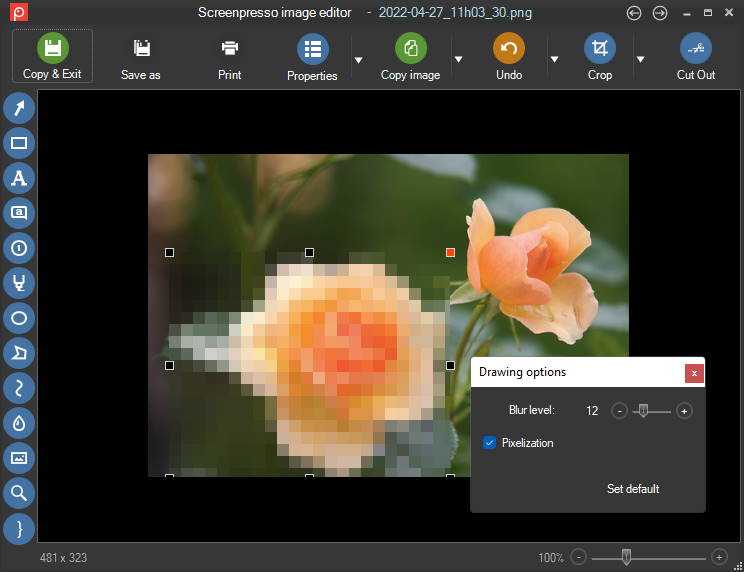
- Blur tool now supports an option to pixelize the image instead of blurring it (PRO)
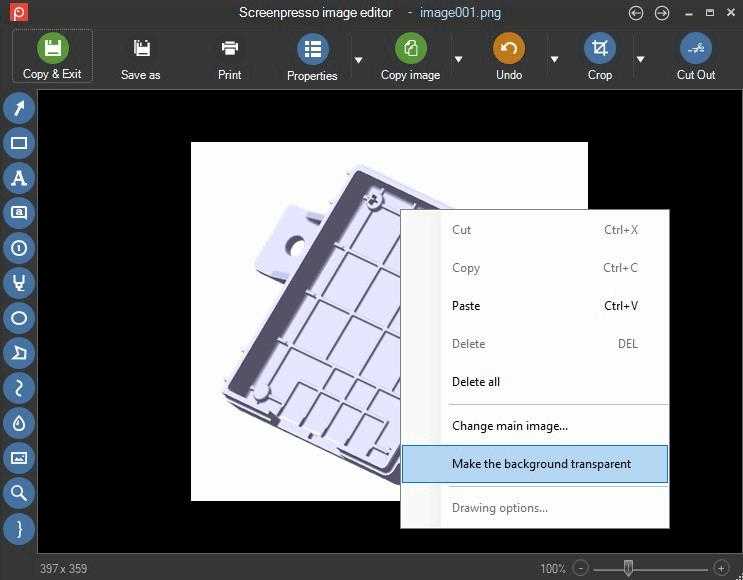
- Is is now possible to set the background of a png image as transparent (PRO)
-
Added support for SFTP protocol to the FTP sharing feature
-
Improved resolution for some webcam models
-
Startup speed improvement at the very first startup
-
Updated Czech translations
-
Updated the user manuals
Bug fixes
-
Editor: clicking an item could sometimes make it moving by 1 pixel
-
Editor: it is possible to draw a strait line while holding the shift key, but, when copy/paste this strait line to make another one, the corresponding grips did not appear correctly
-
Video: fixed video speed convertion that was failing on non-english computers
-
Fixed 'NoVideo' policy that was not working anymore
-
USB keys where not detected anymore, disabling the Screenpresso's portable mode special behavior
April 25, 2022
2.0.0
Important information for PRO users
This release is a new major version of Screenpresso. We upgraded from major version 1 to major version 2 after ten years of existence!
You continue to get free upgrades for the year after buying your license key.
When this maintenance period expires, you can choose between:
- Purchasing a license upgrade with a 50% discount.
- Skipping the updates and remaining on the version you already have. Your actual license for Screenpresso PRO remains valid lifetime for the version 1.
- Accepting the updates and switching back to the free version. You can purchase a new license at any time.
Thank you for supporting us. We are working hard to make Screenpresso a tool that you like.
Enhanced screenshot engine
- Performance improvement and better looking with the animated magnifier during region selection.
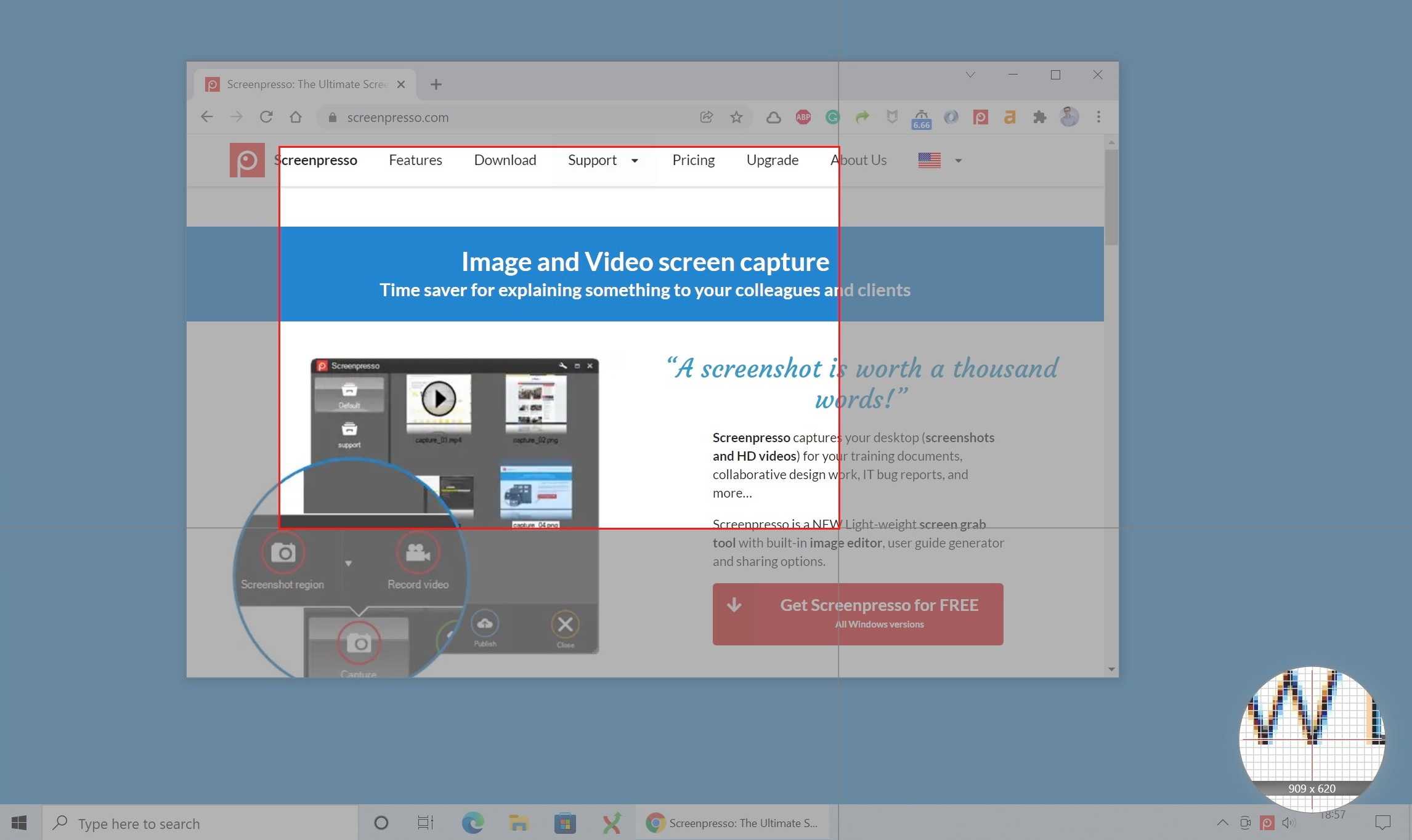
- Zoom in/out is now possible using the mouse wheel during the capture region definition.
- When using multiple monitors, the fullscreen capture mode only captures the monitor with the mouse cursor in it.
- You can now grab the mouse cursor and move it during post-production using the built-in image editor:
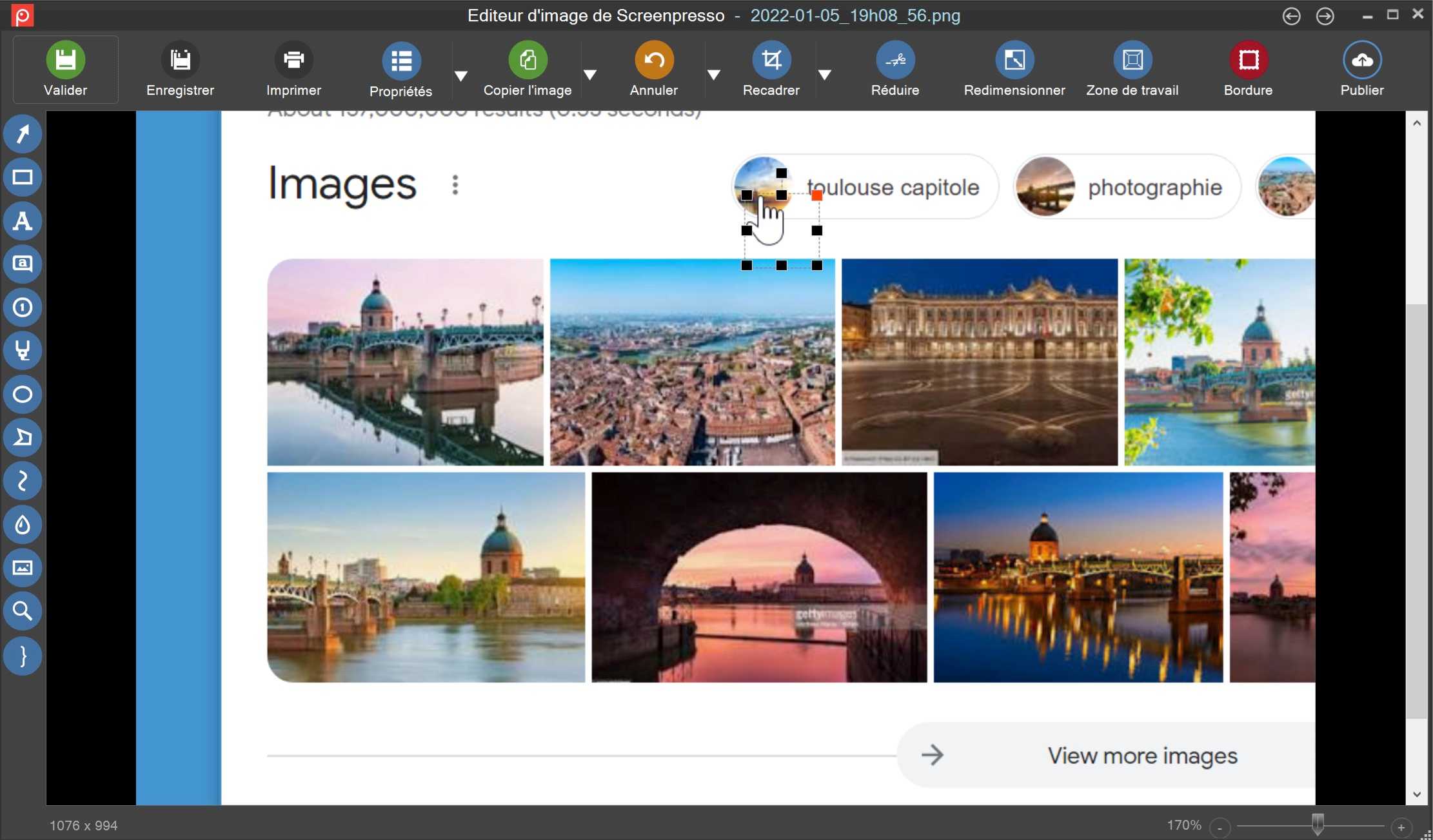
- To capture the mouse cursor, press the
[PrintScreen], then press theMkey before defining the capture region. If you want to include the mouse cursor on every new capture, open the Screenpresso settings on theScreenshottab and selectCapture mouse cursor. - The cursor can now also be captured using Capture last region, Capture active window and Capture full screen.
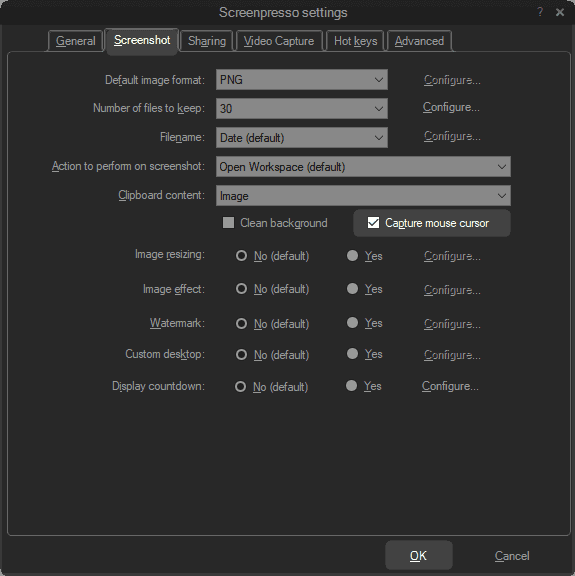
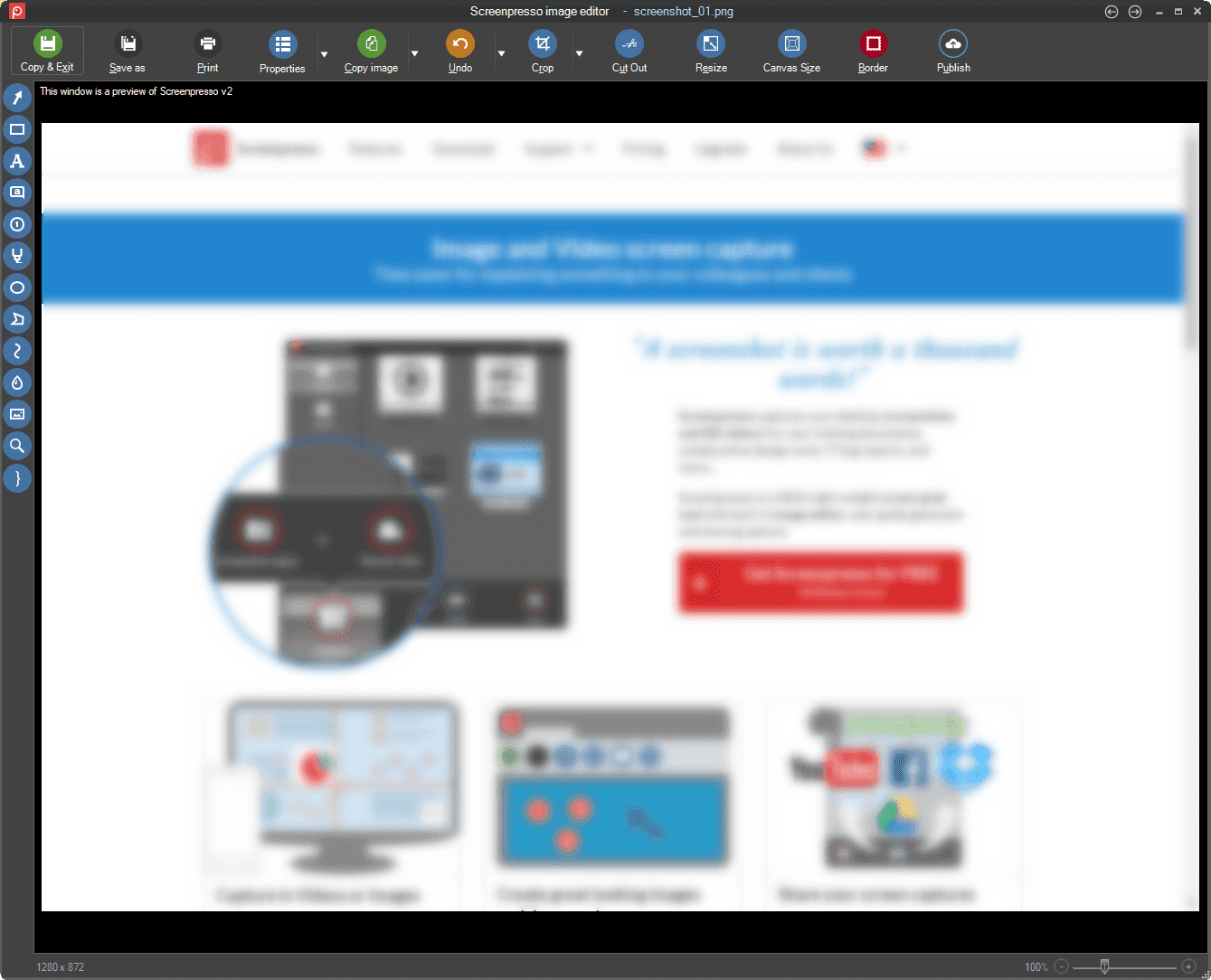
Image Editor
- New look and feel with its left toolbar.
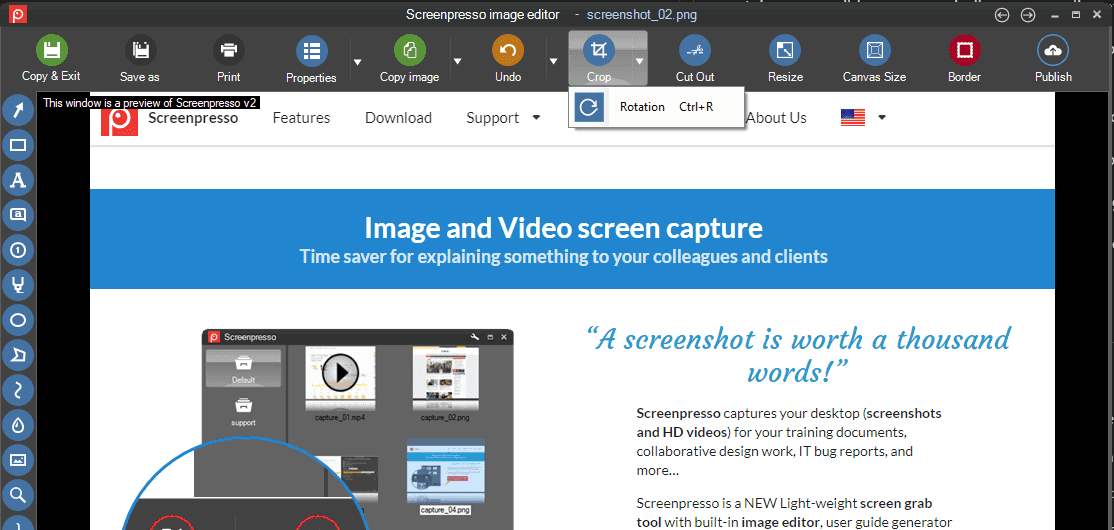
- New rotate option from the toolbar.
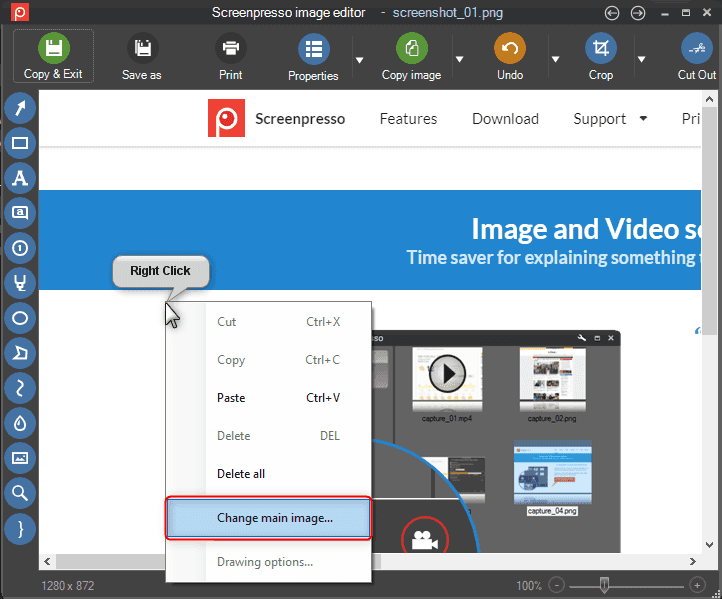
- It is now possible to change the background image: right-click anywhere on the image and select "Change main image...".
- Holding the
Altkey while drawing an item now sets its color as the one of the pixel behind it.
This is great if you want to quickly draw an opaque rectangle on the image to hide part of it.
- Holding the
Altand theCtrlkey while drawing a rectangle can be used to paint over part of the image.
Enhanced video capture
- Direct MP4 recording is the new default recording mode and edition and video conversions are now possible on MP4 files (PRO).
- Stereo sound recording is available.
- It is now possible to automatically stop video recording after a defined period of time in minutes.
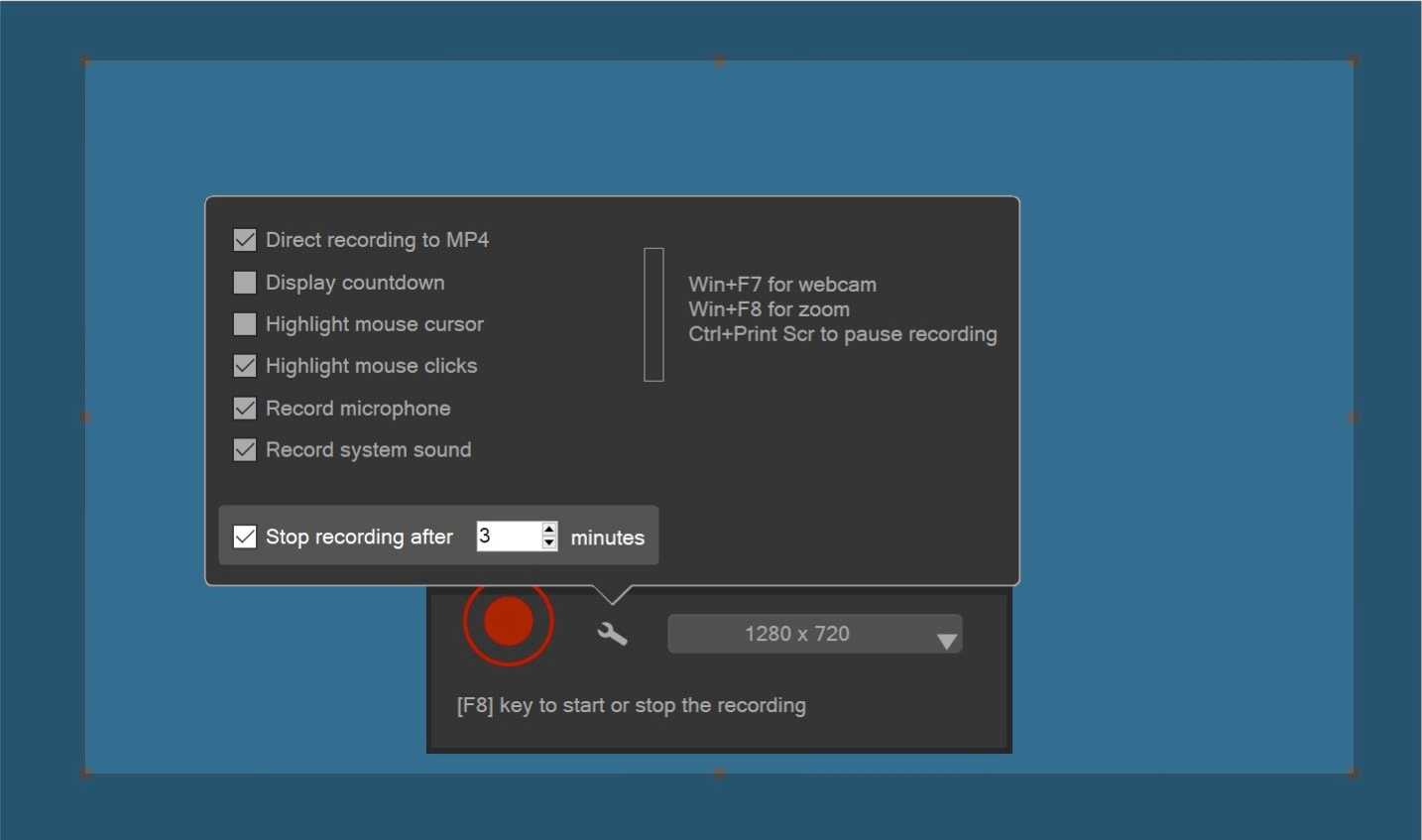
- It is now possible to start a video capture via the command line and optionally define a maximum recording time in minutes.
- The webcam is now captured using its best resolution.
Video edition additions
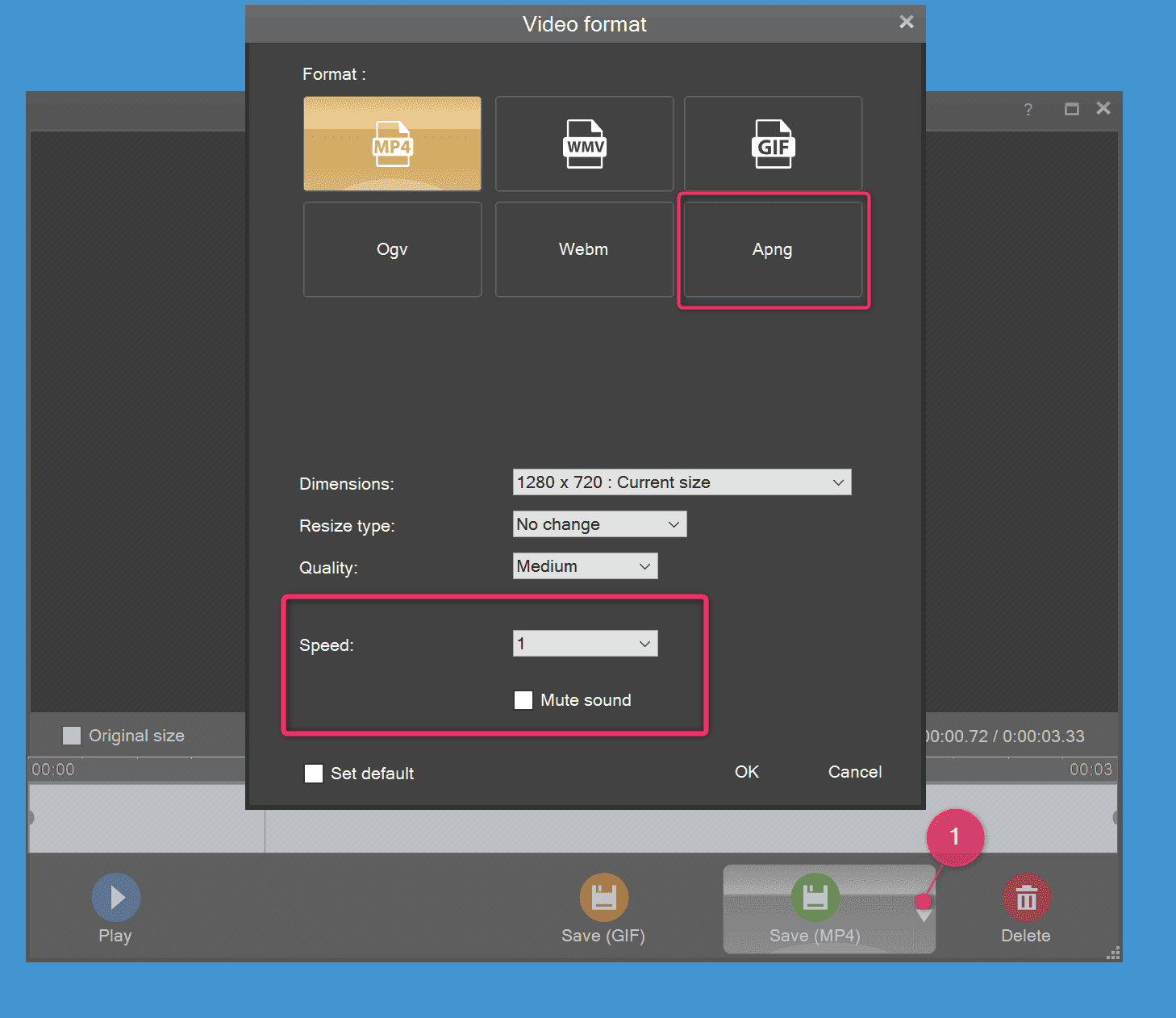
- Export to APNG video format is available in addition to animated GIF format.
- You can mute/silent or change the speed of a video during post processing.
- You can add an overlay timestamp to the video recording.
- You can now use the keyboard to navigate in the video preview (left and right keys).
Captures history - Workspaces
- New look and feel. The background of the window is darker and the "Screenshot region" and "Record video" buttons are quickly available (no more intermediate popup window).
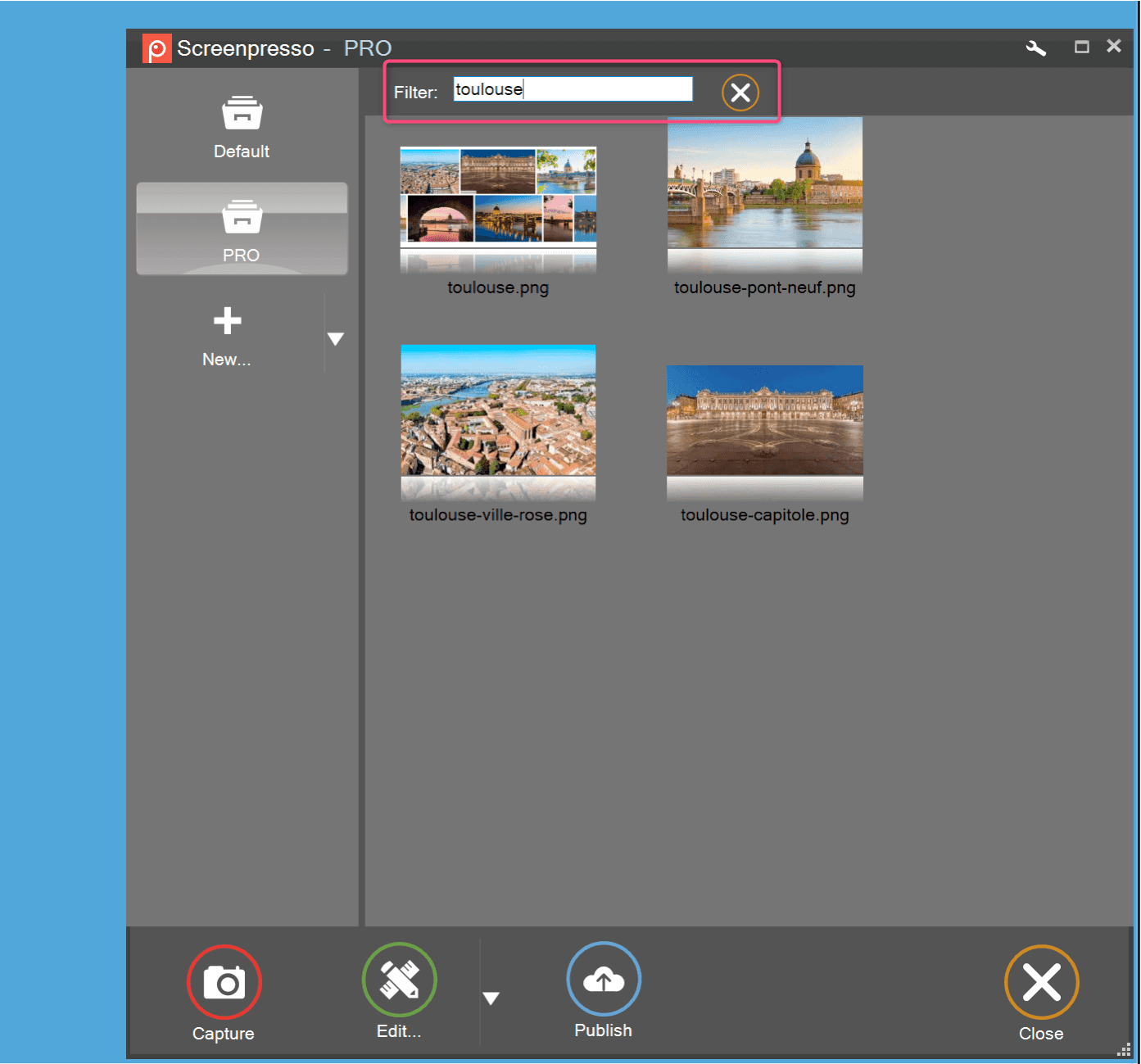
- Search for images is available: press
Ctrl+For use the keyboard to type few letters that match filenames. - You can set a global shortcut to display the last three screenshots in the quick view window.
New Google Chrome extension
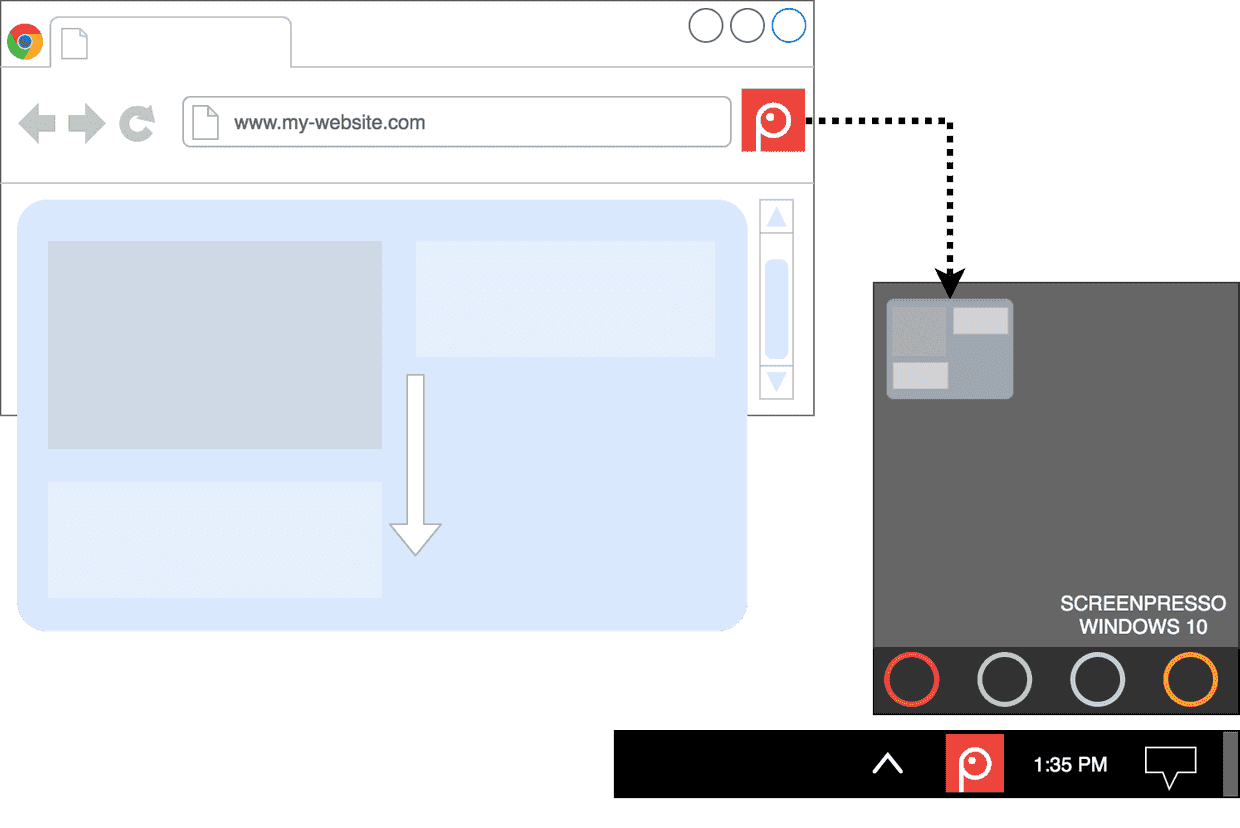
- The Screenpresso chrome extension is available on the Chrome webstore.
- The extension eases the capture of scrolling web pages.
- The extension sends captures to the Screenpresso workspace for a smooth editing process.
Other improvements
- Norwegian language is now natively supported.
- Memory improvement: Screenpresso now has a smaller memory footprint.
